Troubleshooting
I cannot create or open short links
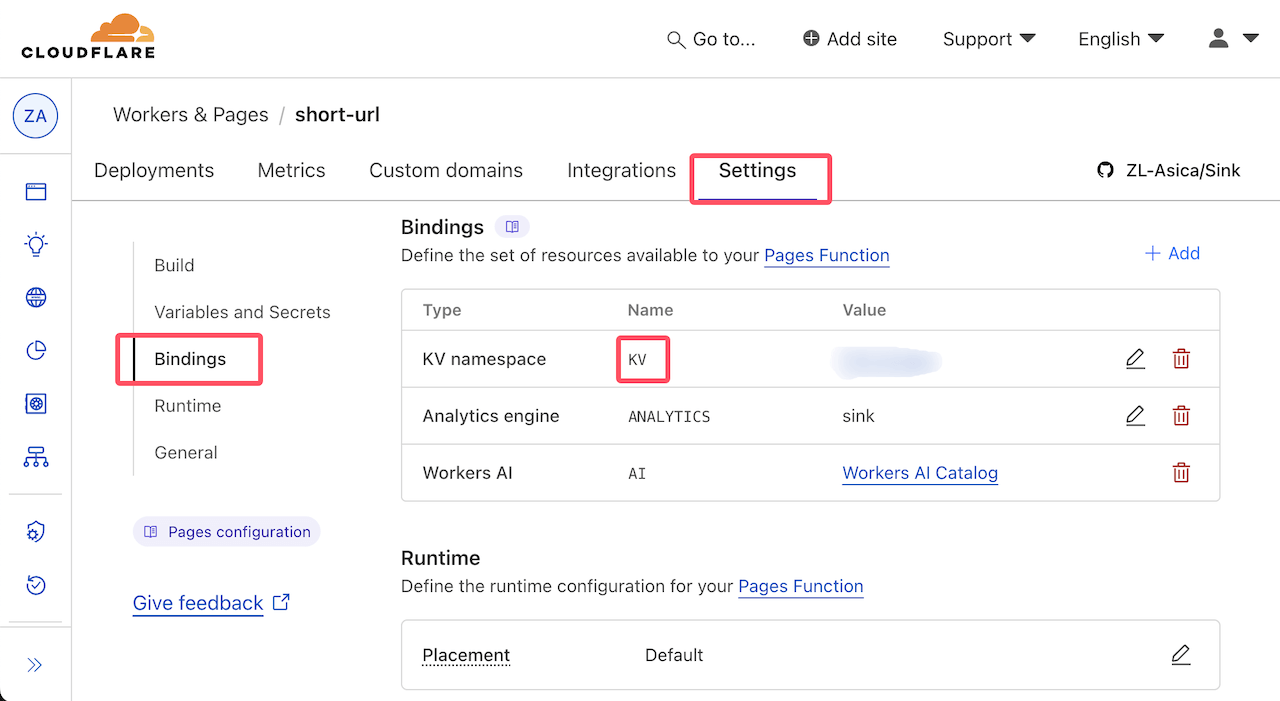
- Confirm D1 and KV are bound with the exact names
DBandKV - Redeploy the latest
masterbranch - Open Dashboard → Links once (one-time storage setup)
This fork is greenfield-only and does not accept old KV-only layouts. Follow multitenant provisioning with fresh resources.
KV binding screenshot
I cannot sign in or call the API
If authentication succeeds but no workspace appears, reload /api/verify. Access identities restore a valid saved workspace, choose the oldest remaining membership deterministically when a saved membership was removed, or provision one owner workspace when no membership exists. An instance administrator can inspect the user and memberships under Administration → Users.
Normal UI demotion cannot remove the last verified instance administrator. If all administrators lose their external credentials, recover an existing verified account through an audited D1 operator procedure; do not create another bootstrap claim or rewrite migration history.
The password must match NUXT_SITE_TOKEN exactly (no extra spaces). Use at least 8 characters. If you never set the token, a random build-time password may have been used — set an explicit secret and redeploy.
If you use Cloudflare Access:
- Both
NUXT_CF_ACCESS_TEAM_DOMAINandNUXT_CF_ACCESS_AUDare set - The AUD value is from this Access application
- The Access cookie can reach
/api(do not limit Cookie Path to/dashboardonly)
Analytics is empty
Check all of these:
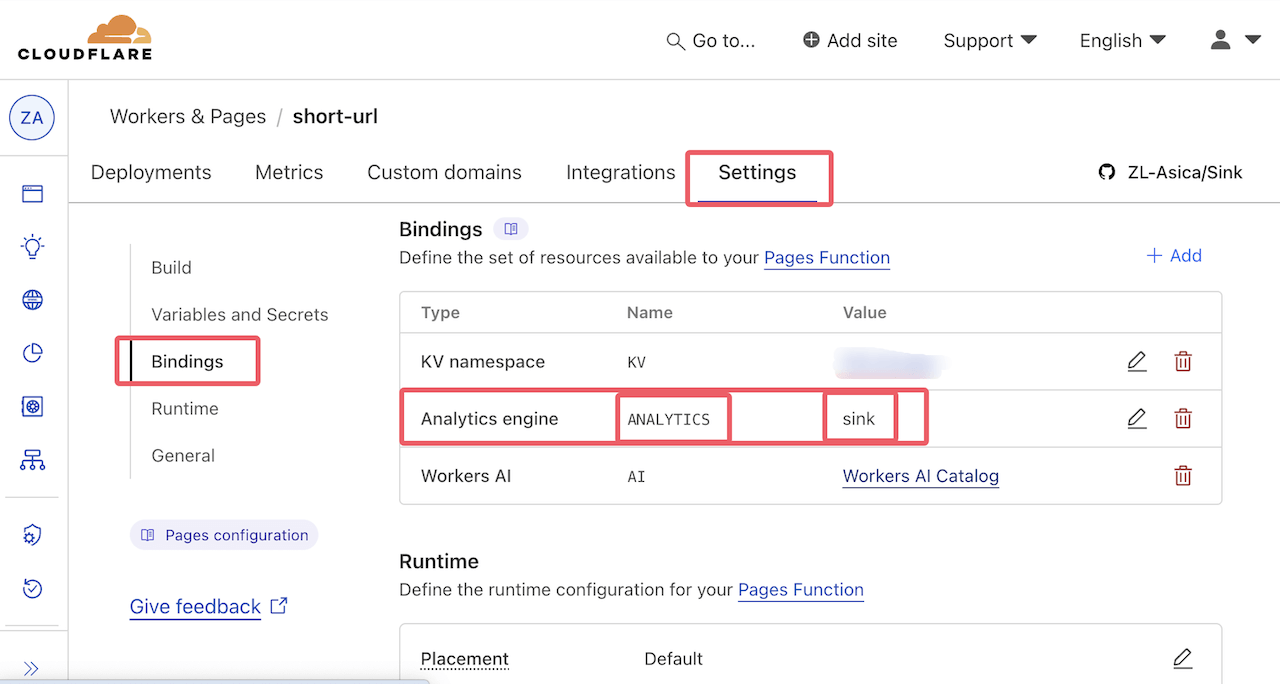
- Analytics Engine is bound as
ANALYTICS - Dataset name matches (
sink_multitenantby default, or the same asNUXT_DATASET) NUXT_CF_ACCOUNT_IDis the account that hosts this appNUXT_CF_API_TOKENis a Custom Token with Account → Account Analytics → Read- Bot filtering or dashboard filters are not hiding the traffic
Full steps: Analytics.
Analytics Engine binding screenshot
Realtime events arrive in bursts or feel delayed
Expected. The page refreshes about every 10 seconds and plays events at about one per second. It is not a live WebSocket stream. Also check that the view is not paused and the tab is visible.
Custom short codes lose uppercase letters
Set NUXT_CASE_SENSITIVE=true and redeploy. This only affects custom codes; auto-generated codes stay lowercase. Existing codes are not renamed.
Cloaked page is blank or refuses to load
The target site likely blocks embedding. Turn off cloaking, or change the target site if you control it. OAuth and payment pages usually refuse embedding.
Safe browsing did not change the unsafe flag
Auto-check runs only when create/edit leaves unsafe unset. An explicit true or false always wins. If the DNS check fails, Set allows the link.
Import skips or rejects records
- Active short-code conflicts are skipped
- Invalid records fail validation
- Expired records are allowed on purpose
Keep each request within half the export page size. Use protected passwords from export — not the masked placeholders in the dashboard UI.
Backup was not created
- Confirm
R2is bound - Open Dashboard → Links once if storage is not ready yet (backup returns 423 until then)
- Workers scheduled backups: check
NUXT_DISABLE_AUTO_BACKUPand Cron - Pages: use manual backup only in this repo
Redirect still looks old
Browser, CDN, or KV cache can delay what you see. Check NUXT_LINK_CACHE_TTL and NUXT_REDIRECT_NO_STORE in configuration, then confirm the link in the dashboard.
Unknown short codes (NUXT_NOT_FOUND_REDIRECT) always use 302, even when normal redirects use 301.